Upload one clear character image. Include the face, hair, clothing and accessories you want to bring into the scene.
What the Bulin 47 Effect Does
Replace the background rapper with your character while preserving the original movements, rap handoff, foreground performer, and source audio. It works as a ready-made recipe: the model, prompt and style or motion settings are already chosen, so the only thing you supply is a source photo. That keeps results consistent from one run to the next and saves you from writing a long prompt or learning editing software.
The output is a short video clip that you can download as an MP4 and post directly or drop into a longer edit. Because the motion is generated from your picture, the people, pet or scene in it stay recognizable while the camera, lighting and movement change around them. Typical clips last a few seconds, which suits loops, stories and short-form feeds.
Think of it as a strong starting point rather than a final edit. Many people generate two or three versions from slightly different photos, keep the best one and then trim, caption or add music in their usual app. Nothing is installed and your original file is never changed, so trying an idea only costs the credits for that single run. If a result misses, the most useful fix is usually a better source photo, not a longer instruction.
Who This Effect Is For
- Social creators who want a short, eye-catching clip for Reels, Shorts or TikTok without opening editing software.
- Families and friends turning a favourite photo into a keepsake, a greeting or a message for a special day.
- Small brands and marketers testing visual ideas for ads, product pages or campaigns before paying for a shoot.
- Designers, writers and storytellers who need a fast reference for mood, motion or style during early concept work.
- Anyone curious to see a familiar photo in a new way, using nothing more than a browser and a few credits.
What you need before you start
These are the inputs and settings the workspace will ask for, so you can pick the right photo and format before you begin.
What to upload
- Your character (required)Upload one clear character image showing the face, hair, clothing, and accessories to use in the video.
Settings you can choose
- Output
- AI video
- Prompt
- Preset by the effect, so there is nothing to write.
The credit cost appears on the Generate button before you confirm, and every finished result is saved to My Creations.
Explore the Bulin 47 Freestyle Scene
Watch the original performance and two remix examples. Notice the doorway lighting, the speaker holder and the change of vocalist. Example clip lengths may differ; your generated video uses the duration selected in the workspace.
How to Make a Bulin 47 AI Video
Choose 5 or 10 seconds and a resolution from 480p to 4K. Add optional appearance details, or leave them blank to follow your photo.
Generate your 9:16 video. Review the character, rap handoff and sound in My Creations, then download the version you want to share.
Make the Bulin 47 Scene Your Own
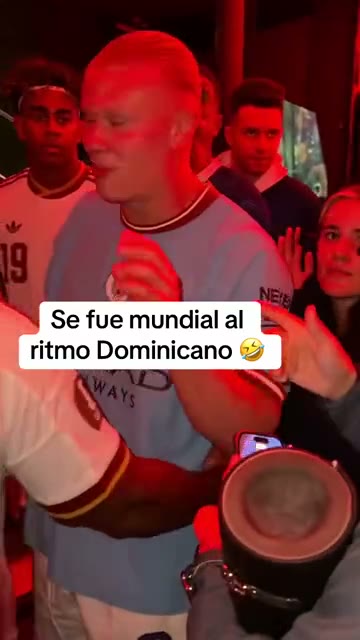
Your Whole Character
The uploaded image guides the face, hair, body proportions, outfit and accessories. You can add appearance details for the new character without rewriting the scene instructions.
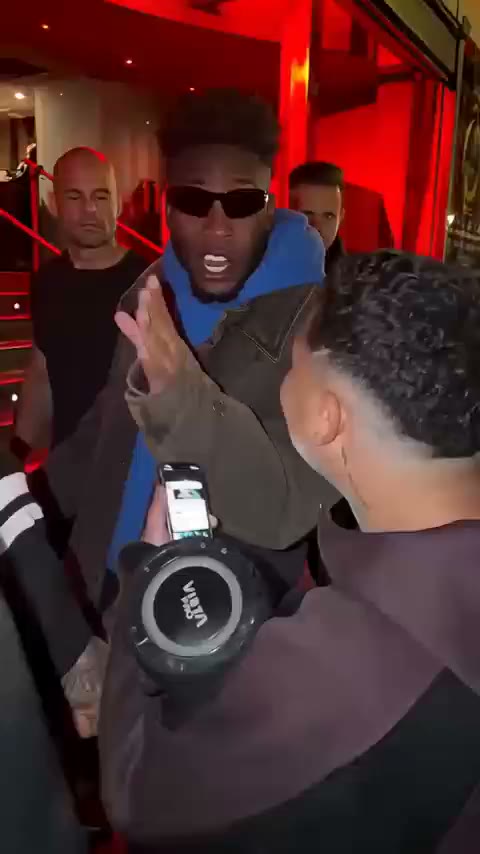
Keep the Rap Handoff
The template targets the rapper behind the speaker holder. It asks the new character to follow that performer's movements and stop lip-syncing when the foreground performer takes over.
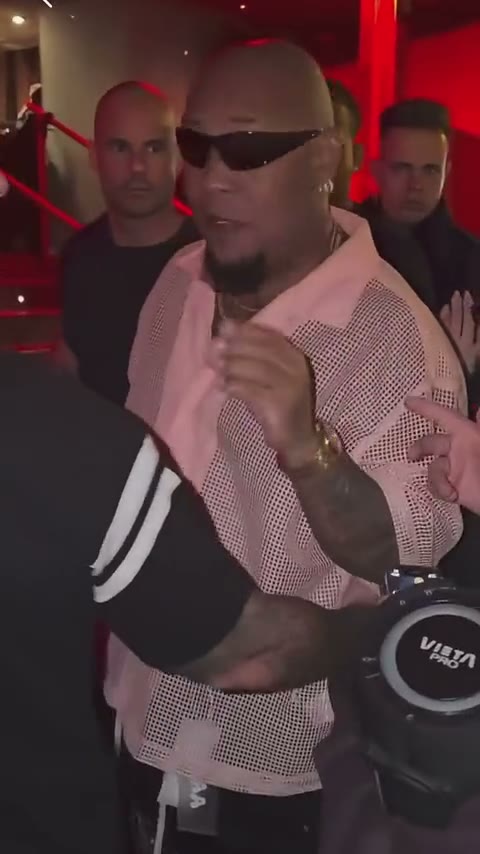
A Vertical Cut That Fits
Generate the first 5 or 10 seconds in 9:16. The instructions preserve the original pace and handoff timing instead of bringing the next verse forward to fit a shorter clip.
Choose Your Resolution
Pick 480p, 720p, 1080p or 4K before generating. The workspace shows the credit cost for your selected duration and resolution, so you can choose the output that suits your project.
How It Compares with Similar Effects
If this is not quite the look you want, these related templates solve a nearby problem in a different way:
- AI Gugugaga — Add gentle age-appropriate babble and small facial motion to a child photo for a private family clip.
- AI Baby Dance — Animate a child photo with gentle, age-appropriate dance movement for a private family keepsake.
- AI Dance — Animate an adult or original character with a polished, non-sexual dance sequence and stable identity.
Stay with this one when you want to replace the background rapper with your character while preserving the original movements, rap handoff, foreground performer, and source audio. Every effect page shows examples, so comparing two of them takes less than a minute.
Bulin 47 AI Video Generator FAQ
It reimagines the recognizable Bulin 47 freestyle scene with a different character. This effect uses your uploaded image to replace the background rapper while asking the model to retain the speaker holder, crowd, lighting and camera movement.
Open the generator, upload one character image, choose 5 or 10 seconds and select a resolution. Appearance directions are optional. Check the displayed credit cost, generate, and review the finished video in My Creations.
Use a sharp, well-lit image with one clearly visible subject. Include the face, hair, upper body, clothing and accessories you want to keep. Avoid heavy blur or occlusion, and use an image you own or have permission to use.
This effect offers 5- and 10-second videos in a fixed 9:16 format. Resolutions are 480p, 720p, 1080p and 4K, with 10 seconds at 720p selected by default. The sample videos demonstrate the scene; their lengths do not add output duration options.
The template explicitly requests the original source audio and the source handoff timing. The replacement character should stop lip-syncing when the foreground performer takes over. AI results can vary, so review the audio and mouth timing before sharing.
Generation uses account credits. The amount depends on the selected duration and resolution and is displayed in the workspace before you generate. Check the site's pricing page for current credit plans.
Yes. Use the optional appearance field to describe details for the replacement character. Leave it blank to follow your uploaded image. These directions apply to the new character; the template retains its instructions for the other people and the rap handoff.
Yes. Open the effect in a mobile browser, upload your image and choose the generation settings. Finished videos remain in My Creations for review and download. The 9:16 format works well for vertical social posts.
More AI Effects
AI Football Championship 2026AI Movie CameoAI GugugagaAI Aging & De-agingAI Baby DanceAI SmileAI HeavenAI Fighting VideoAI PaintingAI Palm ReadingAI Shadow CloneAI MovieAI MuscleAI Video AdsAI Anime to Real LifeAI Analog HorrorAI StoryboardAI VampireAI MermaidAI 2D to 3DAI Live PortraitAI Room DesignAI Live BaseballAI DanceAI HanfuAI Background ChangerAI Life 4 CutsAI Bullet TimeAI Spring PortraitsAI Photo to AnimeAI HeadshotAI HairstyleAI Action FigureAI FursonaAI Fisheye LensAI Mini MeAI Dog GeneratorAI ASMRAI Earth ZoomAI Baby
One Photo. A New Character.
Make the Freestyle Yours.
Choose your character, set the quality and create your own version of the Bulin 47 scene.